
Should we claim ChatGPT Business Hub for our local clients, or should they?
The client claims ChatGPT Business Hub and passes the ID check. The agency sends a checklist, gets added, and shows who ChatGPT names instead.
The client claims ChatGPT Business Hub, and the agency helps. In OpenAI's setup guide, the person who claims must pass an identity check. The admin who claimed it can then give an agency access.
That leaves the agency 3 jobs. Send the client a short checklist, get added afterwards, and show the one thing the Hub leaves out: who ChatGPT names when it doesn't name your client.
For what launched on Nov 10 and what the dashboard counts, see ChatGPT Business Hub is live: what it shows a business, and what an agency still checks. This one answers the question agencies have asked since: who should do the claiming.
Why the client has to claim it, not the agency
OpenAI's help article, Setting up your business on ChatGPT (read Nov 19, 2026), sets two checks.
First the claim: "Use one of the verification methods offered for your business, such as phone, business email, website domain, or Shopify." Then an identity check: "You'll need to complete identity verification with Persona before you can publish changes to your business information, view insights, or create an eligible business agent."
The identity check is about the person, not the business. The same article says: "You may need a government-issued ID, business registration information, and proof that you're authorized to represent the business."
Elizabeth Rule of Sterling Sky said what that means for an agency. On Local Search Forum, Nov 17, 2026: "We are helping clients set it up, though we can't do it directly for them since they have to go through a pretty thorough verification process with a video showing their face, their EIN or a government business number, and a government ID like a passport." (Our own forum account also replied in that thread, before her post.)
So the owner, or someone at the business who can pass that check, does the claim. The agency gets in afterwards.
How the agency gets access afterwards
OpenAI's FAQ answers this directly: "The admin who claimed your business can add teammates in Business Hub and grant an agency access to manage the business or its agent. Use each person's own ChatGPT account."
It also says: "Don't forward a personal claim invitation to give someone access." Ask the client to add you from inside Business Hub once their checks are approved.
A checklist to send the client before they start
Most of the friction is paperwork the owner can prepare in advance. Send them this list, built from OpenAI's article:
- Pick the ChatGPT account they will keep. The claim asks them to "confirm the ChatGPT account you'll use to manage it". The claim stays with that account, so it should be one the owner keeps.
- Choose how to verify. Phone (text or automated call), business email, website domain or Shopify, depending on what the listing offers. If you manage their DNS, this is where you help: the article says "If someone else manages your domain, ask them to add the record for you."
- Use the legal name. "Use the legal business name on your official registration documents," with the trading name in a separate field if there is one. The address and any tax number should match their records too.
- Have the documents ready. Government ID, business registration details and proof they can represent the business, for the Persona step.
- Get the details right before approval. "If you use Persona to create a new profile, OpenAI's approval automatically publishes the profile," and "Only unpublished draft profiles can be deleted."
- Add the agency. Once both checks are approved, they grant you access from Business Hub.
One limit for local clients: "Local stores and restaurants can currently claim only an existing U.S. listing." If ChatGPT has no listing for a local client yet, there may be nothing to claim today.
What the client will see once it's live
After both checks, the Hub shows aggregate numbers for the past 28 days. In OpenAI's words, for a local business "a mention counts when ChatGPT shows a result for that location," and discovery topics are "common themes in ChatGPT answers that mentioned or cited your business."
Two people who have claimed one describe it the same way. Elizabeth Rule: "It gives performance data, which is really only clicks and discovery topics right now." Malte Landwehr of Peec AI, in ChatGPT Business Hub: what the numbers tell you (Nov 17, 2026): "Business Hub only shows your top five discovery topics, all based on conversations where you already appear."
That is useful first-party data, and the client should have it. It counts the times ChatGPT showed them.
The part an agency shows: who ChatGPT names instead
Each Hub reports on one business, the one that claimed it. When a customer asks ChatGPT for a plumber in their town and ChatGPT names other plumbers, that conversation doesn't belong to your client's dashboard. Landwehr lists the questions it can't answer: "where are we not showing, who appears instead, and what can we do to show up more often?" Peec AI sells a tracking tool that answers them from outside.
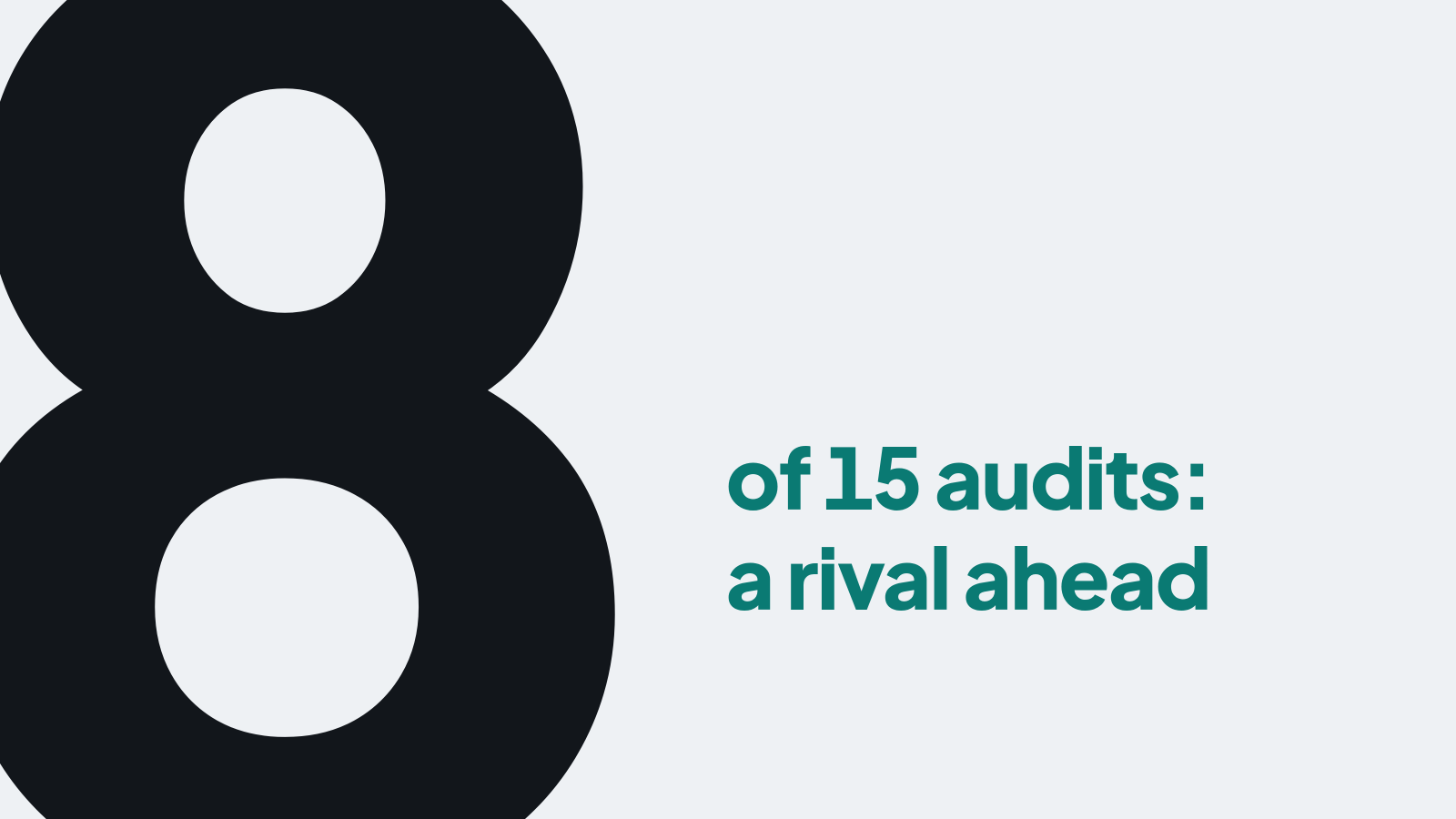
For local businesses that gap matters. We ran 15 audits in October 2026. In them, another business was named more often than the one audited in 8 of the 15. ChatGPT named the audited business in 40 of its 90 answers. Someone reading only their own mention count would not see who was named in the others.
An outside check needs no login, so it works on a prospect who has never heard of Business Hub. It works on a client still waiting for approval. It can also ask Claude, Gemini and Google's AI answers, which the Hub doesn't cover.
What not to promise when the claim goes through
Don't promise the client more recommendations. OpenAI's article says: "Claiming a profile or disputing ownership doesn't change its visibility in ChatGPT." And in the FAQ: "It doesn't guarantee increased visibility or give you direct control over ChatGPT's independent recommendations."
Tell the client the claim gets their details right and gives them a view of their own numbers. If you want to show change over time, measure from outside before and after.
Take a first count before the client claims
Before you send the checklist, ask ChatGPT the questions a customer would ask, with the town and without the business name, and write down who it names. Note the claim date. Ask the same questions a few weeks later and compare the two lists.
RecoRadar runs that check for you and shows who ChatGPT named instead, with the answers behind each count. Run a free check on your business or a client's, no login from the client needed.