ChatGPT Business Hub is live: what it shows a business, and what an agency still checks
ChatGPT Business Hub launched Nov 10. What it shows a business owner, what it leaves out, and the 5 checks an agency still runs from outside.
ChatGPT Business Hub gives a business owner a first look at how ChatGPT treats them: mentions, clicks to the website and the topics people asked about. Have every client claim it. Then be clear with them about what it can't show, because those gaps are most of what an agency gets asked about.
What launched on Nov 10
OpenAI announced Businesses in ChatGPT in beta on Nov 10, 2026. Through Business Hub, a business can claim its listing, manage its information and see how people engage with it on ChatGPT.
OpenAI names two numbers: mentions and website clicks. There are also "discovery topics", which it describes as "common themes across conversations where their website is cited." Barry Schwartz at SE Roundtable, who covered the launch with screenshots, also lists profile views.
There is a second part, Business Agents, where a customer can start a conversation with the business inside ChatGPT. That starts with "eligible ecommerce and online service businesses in the U.S." For most local clients, the claim and the numbers are what matter this month.
How a client claims it
- Open Business Hub at chatgpt.com/business-hub and search for the business.
- Verify it. SE Roundtable shows a text or phone call to the main business number, or DNS. A post in r/aeo that walks through OpenAI's help center also lists business email and Shopify.
- Once verified, update the key details ChatGPT shows.
The same r/aeo post says there is a second step: an identity check with Persona before the owner can see the numbers or publish profile changes.
Verification goes through the owner's phone line, email or domain, so the owner should hold the claim. If you manage DNS for a client, you can verify that way with their permission. Schwartz wrote that he is "nervous about people hijacking businesses", which is one more reason to claim early and keep the login with the owner.
What the dashboard shows, and what it leaves out
Read the click number the way you read Google's call-button clicks. The tooltip SE Roundtable quotes says: "Clicks don't confirm website visits or conversions." Put it next to your own analytics before you report it to a client.
OpenAI says it doesn't share users' conversations with businesses, and that the numbers are aggregated. The r/aeo post, by exbald on Nov 11, lists more of what the dashboard leaves out:
- The numbers cover the past 28 days.
- No share of voice.
- No comparison with competitors.
- ChatGPT only, not Claude, Gemini or Google AI Overviews.
Those points are the poster's reading of OpenAI's help center, which we could not open to confirm. Check them in Business Hub before you repeat them to a client, since a beta can change.
Why the missing comparison matters for local clients
The r/aeo post's point about competitors matters most for local clients. A local customer rarely asks about one business by name. They ask who to call, and the answer names a few businesses. The useful question for an owner is who got named when they didn't.
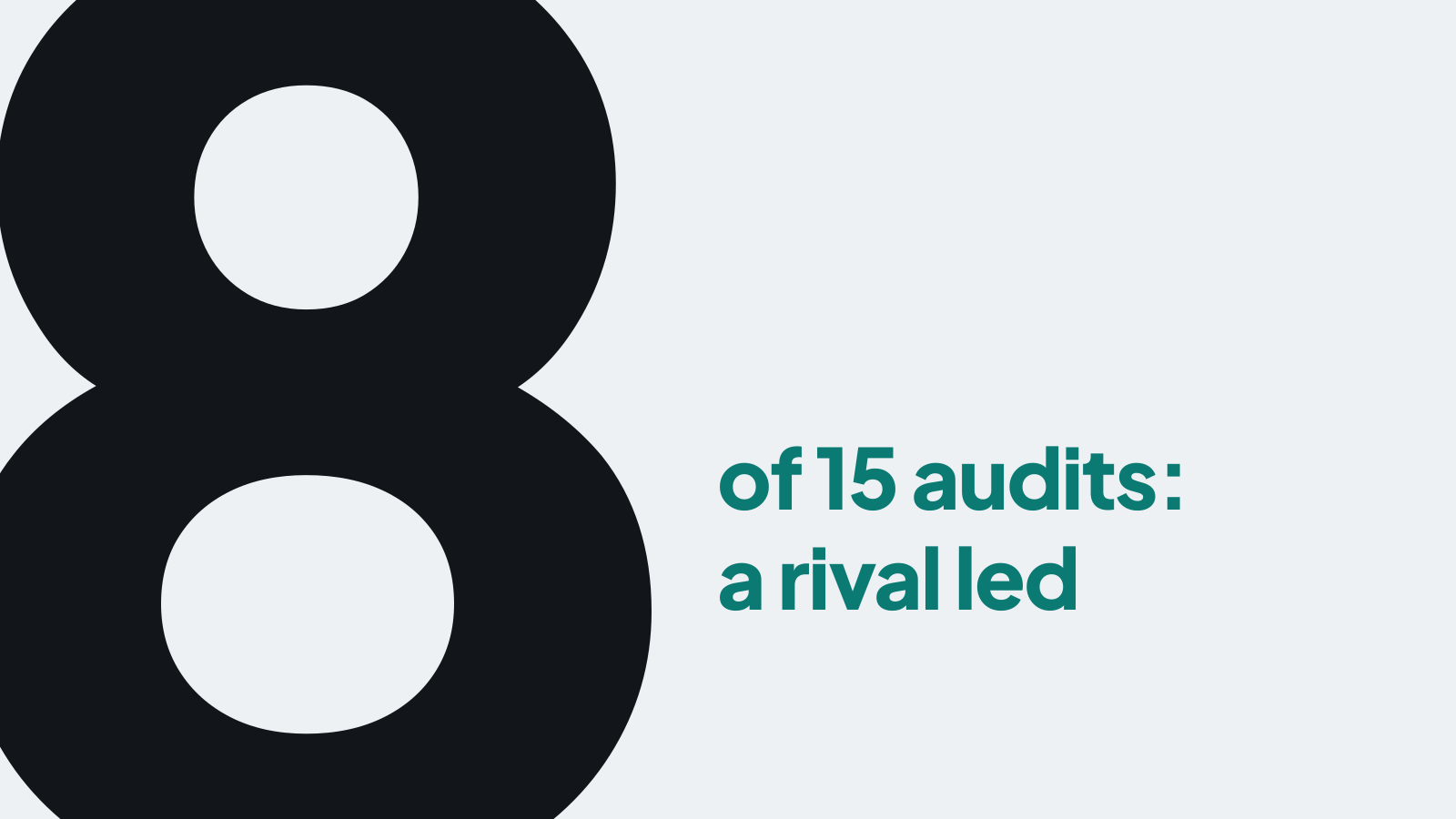
Our own audits show how often that happens. Across 15 audits in October 2026, in 8 of the 15 another business was named more often than the one we audited. An owner looking only at their own mention count would not see who that was.
The assistants also disagree. In the same 15 audits, ChatGPT named the business in 40 of its 90 answers, Claude in 50 and Gemini in 49. A dashboard for one assistant tells part of the story.
What an agency still checks from outside
Business Hub needs the owner's login. Most of an agency's work starts before that, or looks wider than one business. 5 checks stay outside the dashboard:
- Before the pitch. A prospect hasn't given you access to anything. Ask the questions their customers ask, with the city and without the business name, and count how often they come up.
- Who gets named instead. List the rivals in the answers and how often each appears. That is the comparison the r/aeo post says the dashboard leaves out.
- The other assistants. Ask Claude, Gemini, Google AI Overviews and AI Mode the same questions. Customers use more than one.
- The answers and the pages they cite. Read what each answer says and which sites it relied on. That tells you what to fix, which a count can't.
- Normal variation. Answers change between runs. In our audits, a change of 1 or 2 answers in 18 is normal, and 3 or more deserves a closer read. Say so before a client sees a small drop and worries.
What not to tell a client
Don't promise that claiming the business changes which business ChatGPT recommends. OpenAI's announcement doesn't say it does, and the r/aeo post reads OpenAI's help center as saying it does not guarantee more recommendations. Claiming lets the owner correct their information and see their numbers. Treat any effect on recommendations as unknown until someone measures it.
Don't call the Hub numbers wrong either. They count something different from an outside check: the owner's own mentions and clicks, against the questions a customer would ask about the category.
How to put the two together
Business Hub covers what only the owner can see: their own mentions, clicks and discovery topics once they've claimed it. An outside check covers the comparison, the other assistants and the prospect you haven't signed yet.
RecoRadar is one way to run the outside check. It asks ChatGPT, Claude and Gemini what a customer in that city would ask, without the business name, and the Starter and Agency plans add Google AI Mode and AI Overviews. The report shows who each one named and the pages they cited. You can run a free audit on a prospect with no login, then repeat it after the client claims their Business Hub listing and compare the counts.